
Convert a Website to PowerPoint in One Click
Website to PowerPoint in one click: paste a public link and The AI Presentation Maker turns the page's text into slides you edit. Paste the link. Approve the outline. Build the deck.
3 free decks with your email. No card.
Turn a blog post or article into a presentation
A blog post runs a thousand words or more. A slide carries one idea. The maker takes the article text and gives each idea its own slide, in the order the article makes them. It reads blog posts, news articles, documentation pages, press releases and your own landing pages.
- Notes for the speaker under each slide
- Title and closing slides that carry your logo
- A deck list in your browser that keeps every deck you build
Convert a website to PowerPoint without pasting the page onto slides
Menus, cookie notices and footers land on slides
Article text only
Before the AI reads a page, the maker drops its menus, header, footer, sidebars, forms and scripts. Only the article reaches the slides.
Headings turned into slides, one each
A slide plan from the full page
The maker reads the whole article, not just its headings, and proposes one line per slide. Nothing is drawn until you approve that list.
Numbers the article never gave
[add figure] instead of a guess
Figures, dates and names on the slides come from the article. Where the article gives no number for a slide, the slide shows [add figure].
Page screenshots pasted in as pictures
Real text boxes and real charts
Open the .pptx and each line is text you select and retype. Three or more figures in the article become a bar, line or donut chart.
Images lifted from a page you do not own
Your own pictures and brand color
The maker leaves the page's images out. Add your own picture on a slide, set your hex color, and add your logo to the first slide.
How to turn a URL into a presentation
-
Paste the link
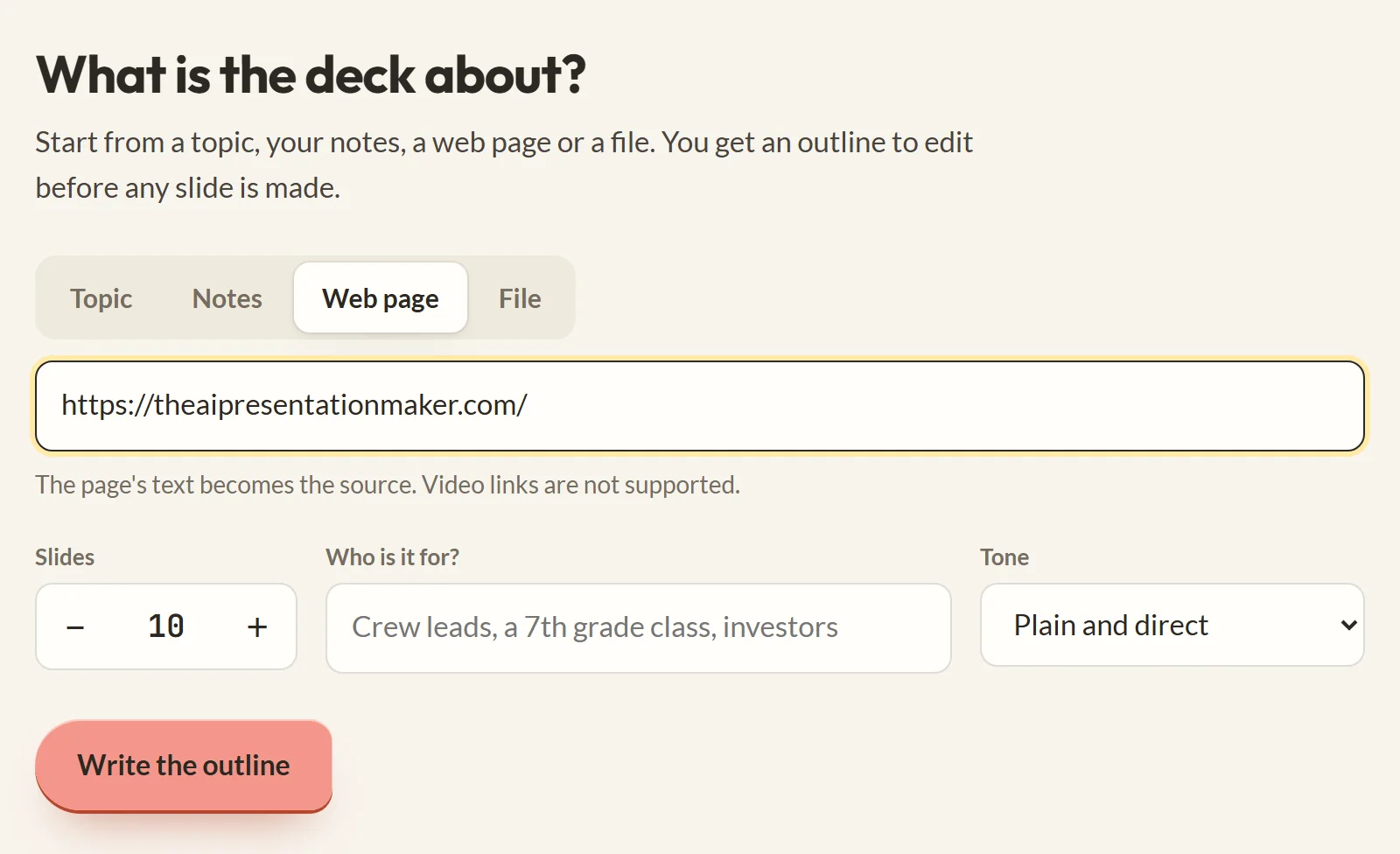
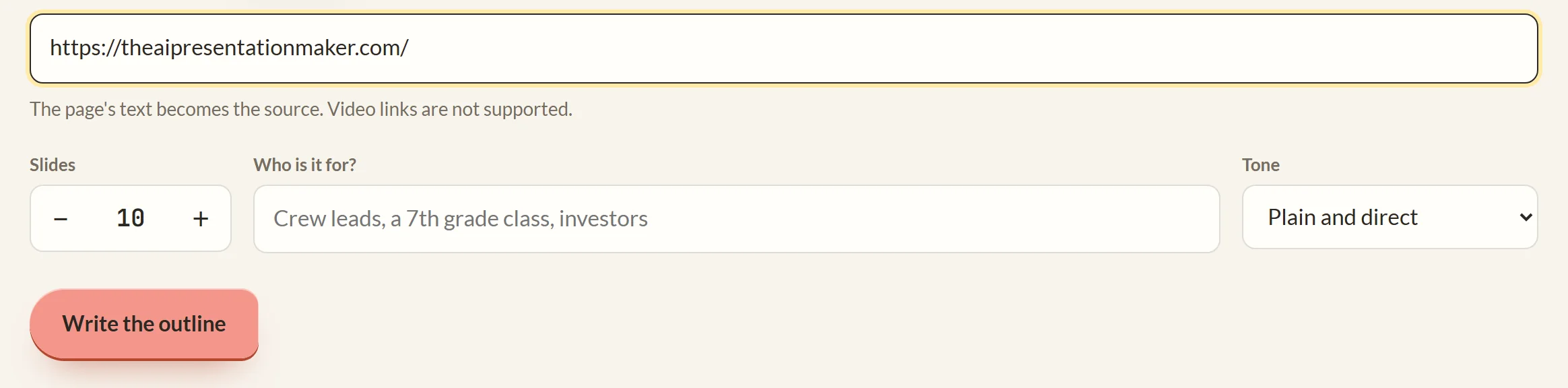
On the Web page tab, paste the full address, https:// included. Choose how many slides you want and click Write the outline.
-
Approve the outline
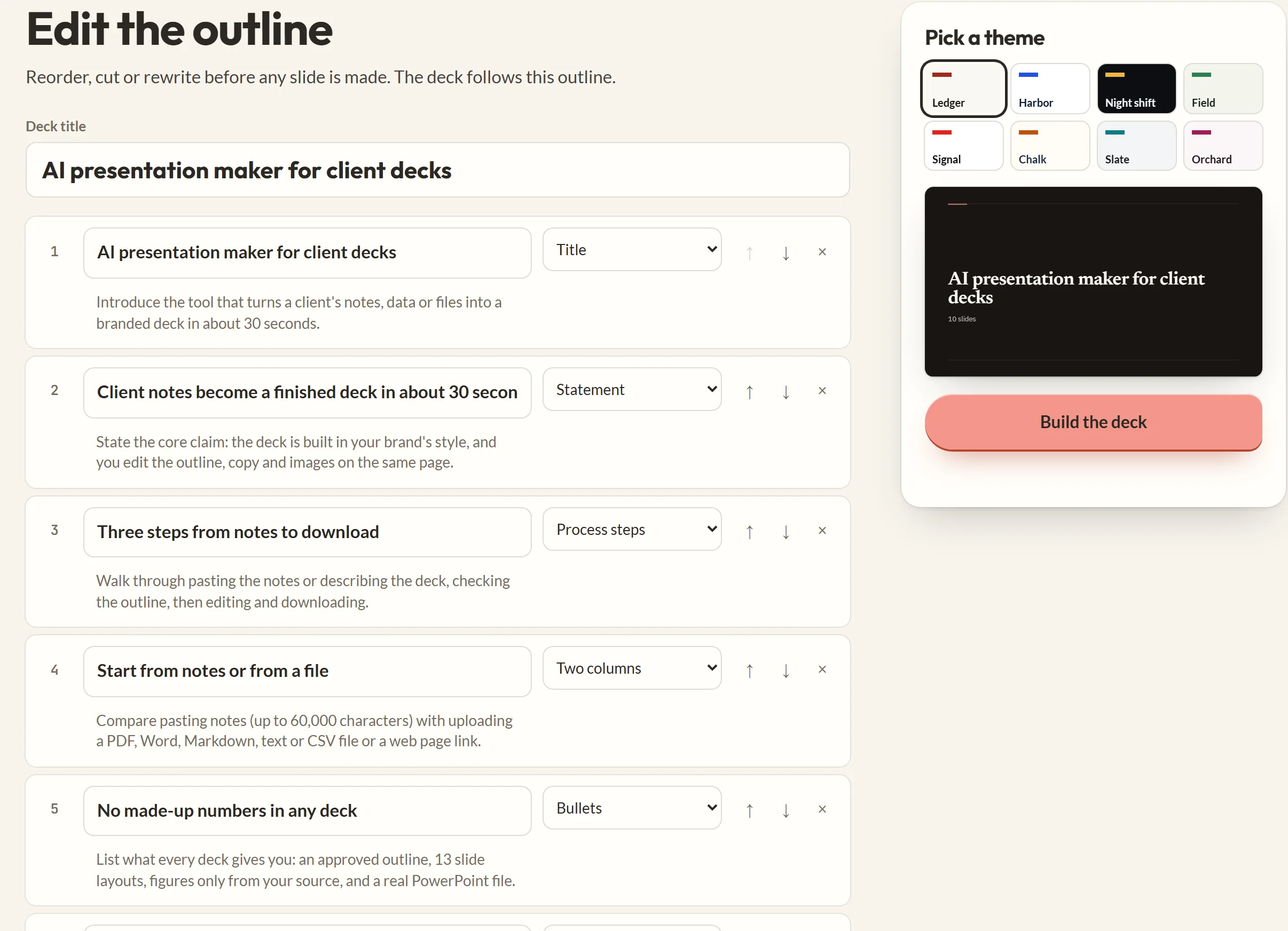
The maker reads the page in a few seconds and shows one line per slide. Retype, reorder or delete lines, then build the deck.
-
Fix a slide, then download
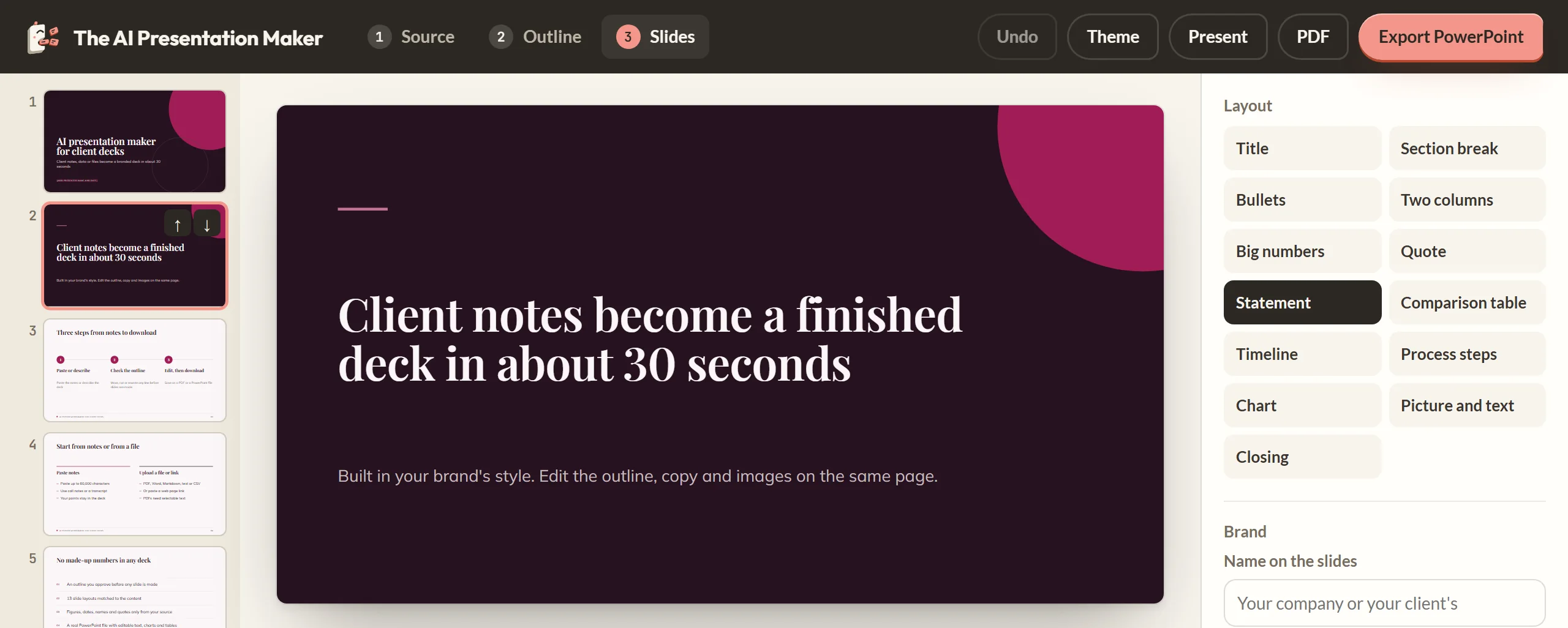
Change any line on a slide, swap its layout, or drop a picture onto it. Click Export PowerPoint or PDF.
Turn the article in your other tab into slides
Make my deck
Webpage to PPT questions: links, paywalls and length
How do I turn a blog post into a presentation?
Paste the post's address on the Web page tab and ask for the outline. Approve the lines, build the deck, then export.
Can I make a presentation from a link?
Yes, from any public http or https link to a web page or a plain text file. Links to videos, PDFs and pages behind a login do not work.
How do I present a blog post without rewriting it?
Build the deck from the post's link and click Present. Your browser shows it full screen, one slide at a time, with your notes under each one.
Which part of the page does it read?
The article text. Navigation, cookie bars and other page furniture are dropped first, and the page's title becomes the source name.
Does it keep the page's images and layout?
No. It reads the words and writes new slides. The Picture and text layout takes a picture you upload.
Why did my link fail?
The page needs JavaScript to show its text, sits behind a paywall or login, is a video, a PDF or a file over 2 MB, or took over 10 seconds to answer. Copy the text and paste it on the Notes tab.
How long can the page be?
The maker reads as much as 60,000 characters from one page. A longer page gets a message with its count; copy the section you need to the Notes tab.
Does this embed a live website in a slide?
No. It writes slides from the page's text. A live web page inside a slide needs a PowerPoint add-in.
What happens to the link I paste?
Our server fetches the page once and hands the words to the model that writes the slides. It keeps neither the address nor the text.
Start from a PDF, a Word file or a marketing report
PDF to presentation
Drop in a report or paper that came as a PDF file.
Word document to PowerPoint
Drop in a .docx and the maker writes slides from your own draft.
For marketing teams
Campaign reports and client decks from the notes and pages you already have.