
AI Presentation Tools by Job and by Role
AI presentation tools in The AI Presentation Maker turn a file, your notes or a web page into an outline, then into an editable PowerPoint deck. Find your page by what you start with or by who you are.
By what you start with
All of these AI tools for presentations run in one maker. Pick a source you have or the kind of deck you need.
A file, a page or your notes
PDF to presentation
Convert PDF to slides from a report, a proposal or a paper, with every word editable in PowerPoint.
Word document to PowerPoint
Word to PowerPoint for any written document, from a .docx, .txt or .md file.
Web page to presentation
Website to PowerPoint for marketers and writers: paste the link to a public article and get a deck from its text.
Notes to slides
Text to PPT for meeting notes, class notes or any pasted text up to 60,000 characters.
The kind of deck you need
Presentation outline and first draft
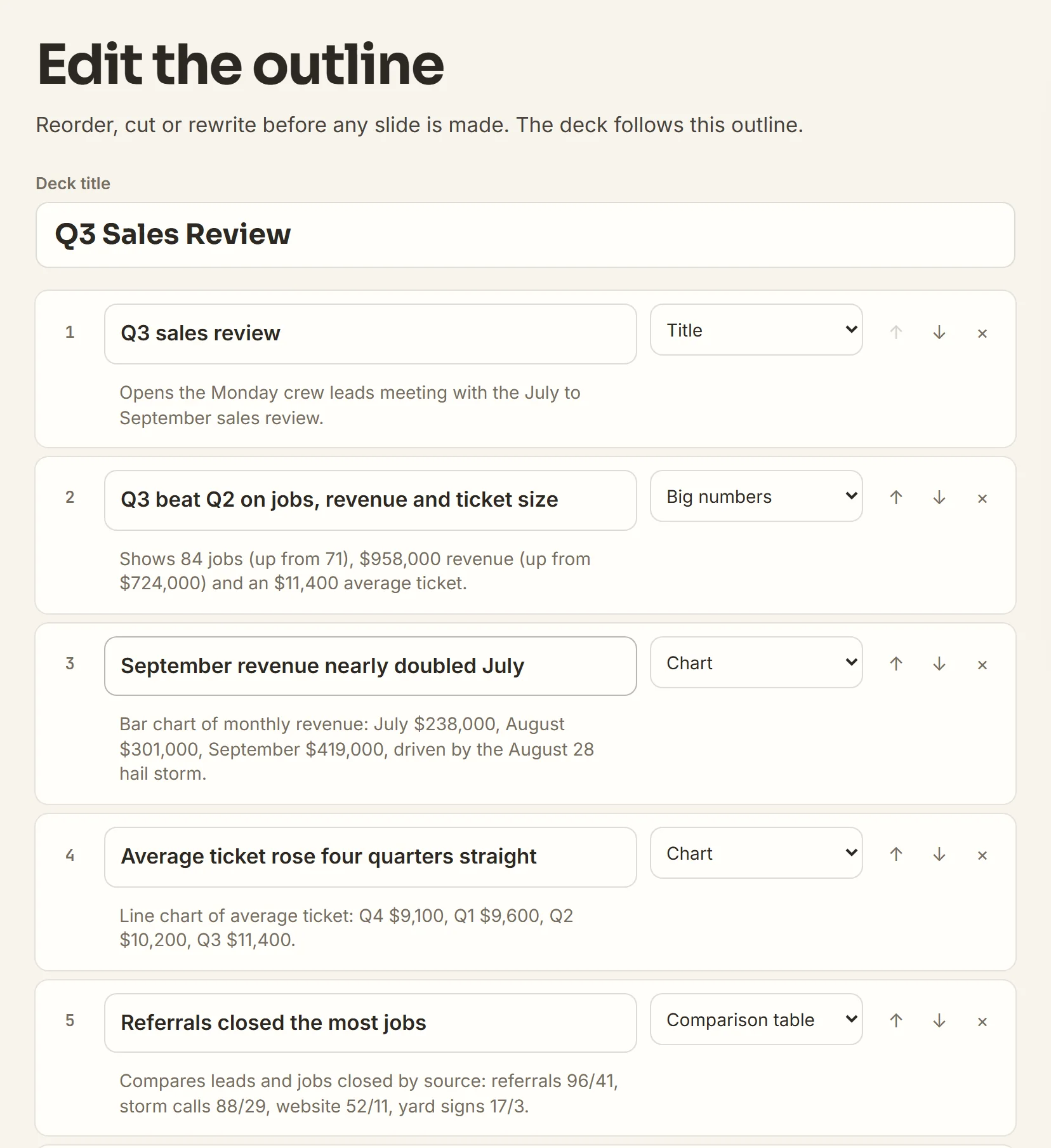
A presentation outline you approve line by line, before any slide exists.
Data decks and charts
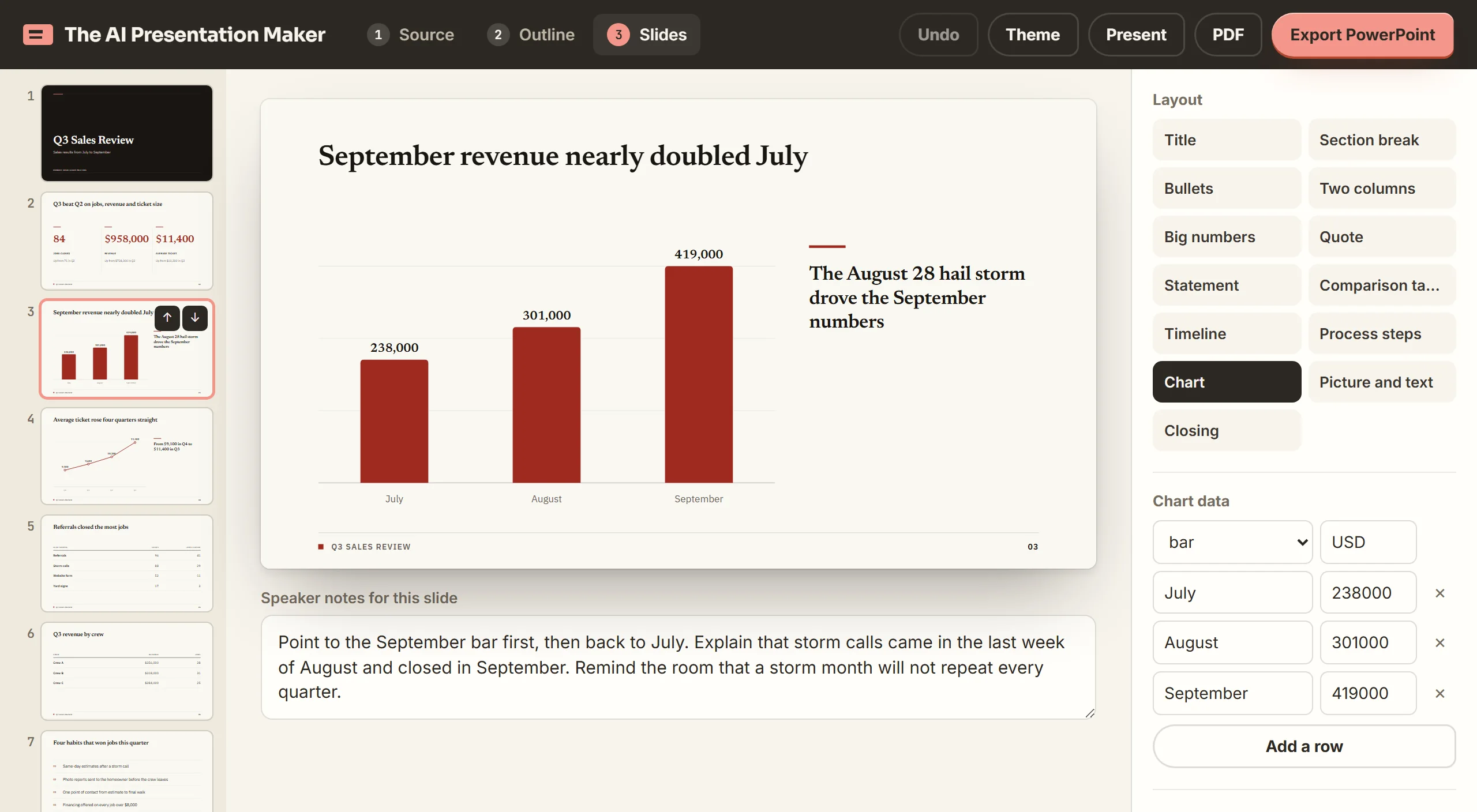
Data presentation from a .csv file or pasted figures, with native charts drawn only from your numbers.
Monthly report decks
A monthly business review deck, built fresh from each month's figures, for teams that report every month.
Decks in your brand color
A branded PowerPoint with your hex color and logo on every slide, for teams with brand rules.
Editable PowerPoint files
An AI PowerPoint generator that exports a .pptx with real text, native charts and speaker notes.
Pitch decks
An AI pitch deck generator with a brief to fill in, for founders, agencies and service businesses.
By who you are
These pages cover the decks each role makes in the same AI presentation software.
Students
How to present a research paper: turn the PDF or your class notes into slides with speaker notes.
Teachers
An AI teaching tool for lesson, revision and parent meeting decks built from your own notes.
Agencies
Client presentations, pitches and reports for agencies, in the client's brand color with their logo.
Marketing teams
Marketing presentations and campaign reports built from a web page, a .csv file or your notes.
Finance teams and CFOs
Financial presentations where every figure comes from your file and a missing one shows as [add figure].
Business professionals
How to make a business presentation for an internal meeting or a client, from notes or a document.
How to make a PowerPoint presentation with the maker
Drop in your source
Choose a file, paste notes or a link, or type a topic.
Approve the outline
The maker writes one line per slide. Move, cut or rewrite any line.
Download the deck
Export an editable .pptx, or save the deck as a PDF.
Make your first deck from a file, notes or a topic
Make my deck3 free decks with your email. No card.